Knowledge Base Home  Drag & Drop Editor Test Email Feature
Use the Test Email feature to send a test version of your email and see how your email will appear in the inbox.
Topics covered in this article:

 Things to know before getting started:
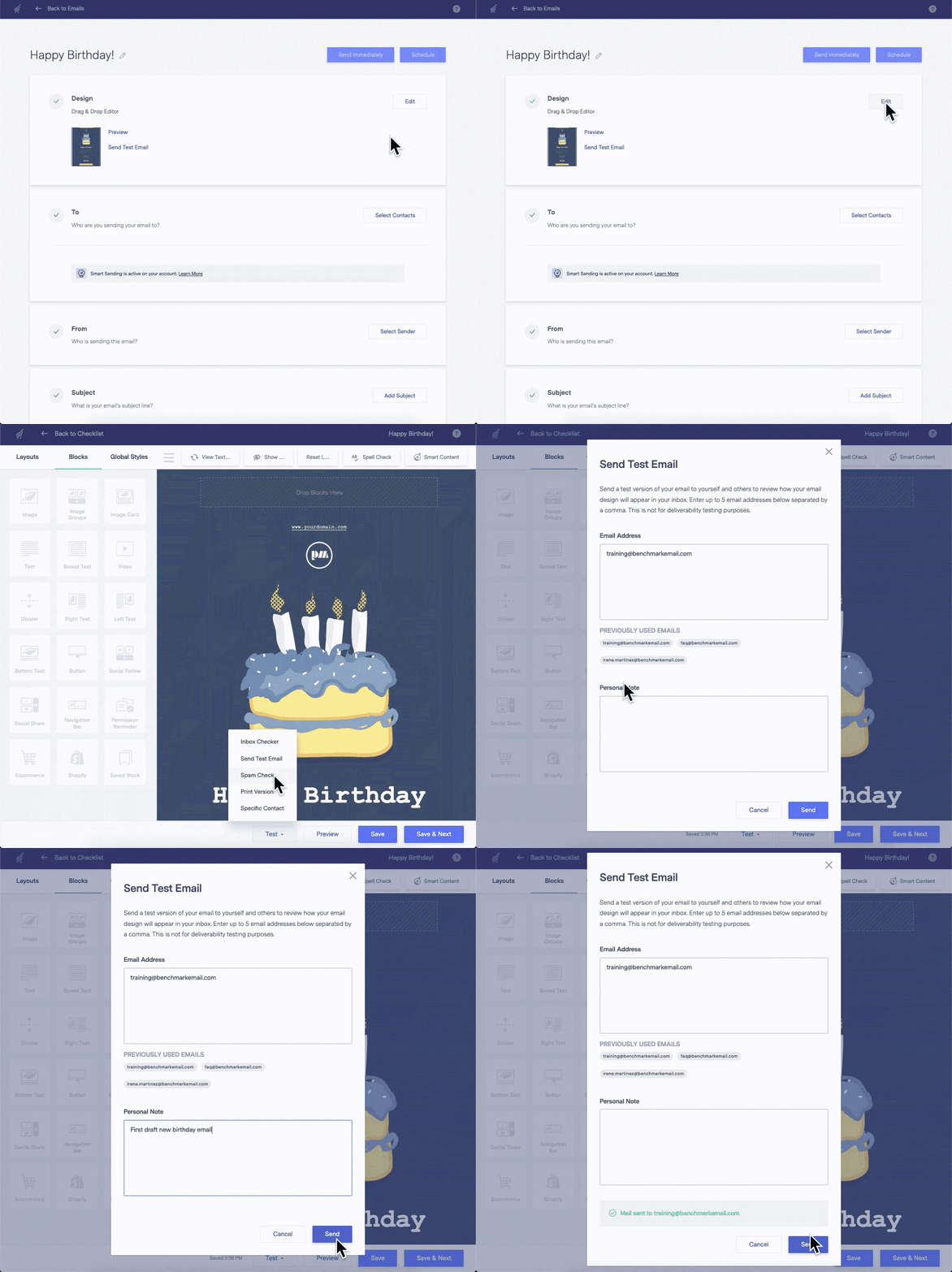
To send a test email, follow the steps below.


If you want to make changes to your email before sending the test email, you can use the Send Test email within the editor.
If you exceeded your account’s campaign or daily test email limit, you could schedule and send the email as a regular campaign. We recommend creating a test email list; this list can be used when testing the appearance of your email.
 IMPORTANT
Please do not use the Test Email feature to measure your email deliverability. Instead, schedule and send your email. If you’d like to learn more about how to improve your email deliverability, please click here.
If you have any questions, please contact our support team.


