Knowledge Base Home  Email Features How to Add GA4 Tracking to Benchmark Emails
If you use GA4 on your website, you can track conversions from your Benchmark Email campaigns to purchases on your website. Benchmark can do this automatically for you, giving you a better picture of your email marketing return on investment.
 Before getting started
You’ll need to have your GA4 set up on your site to track site conversions from your email campaigns.
Here is how to add GA4 to your emails:
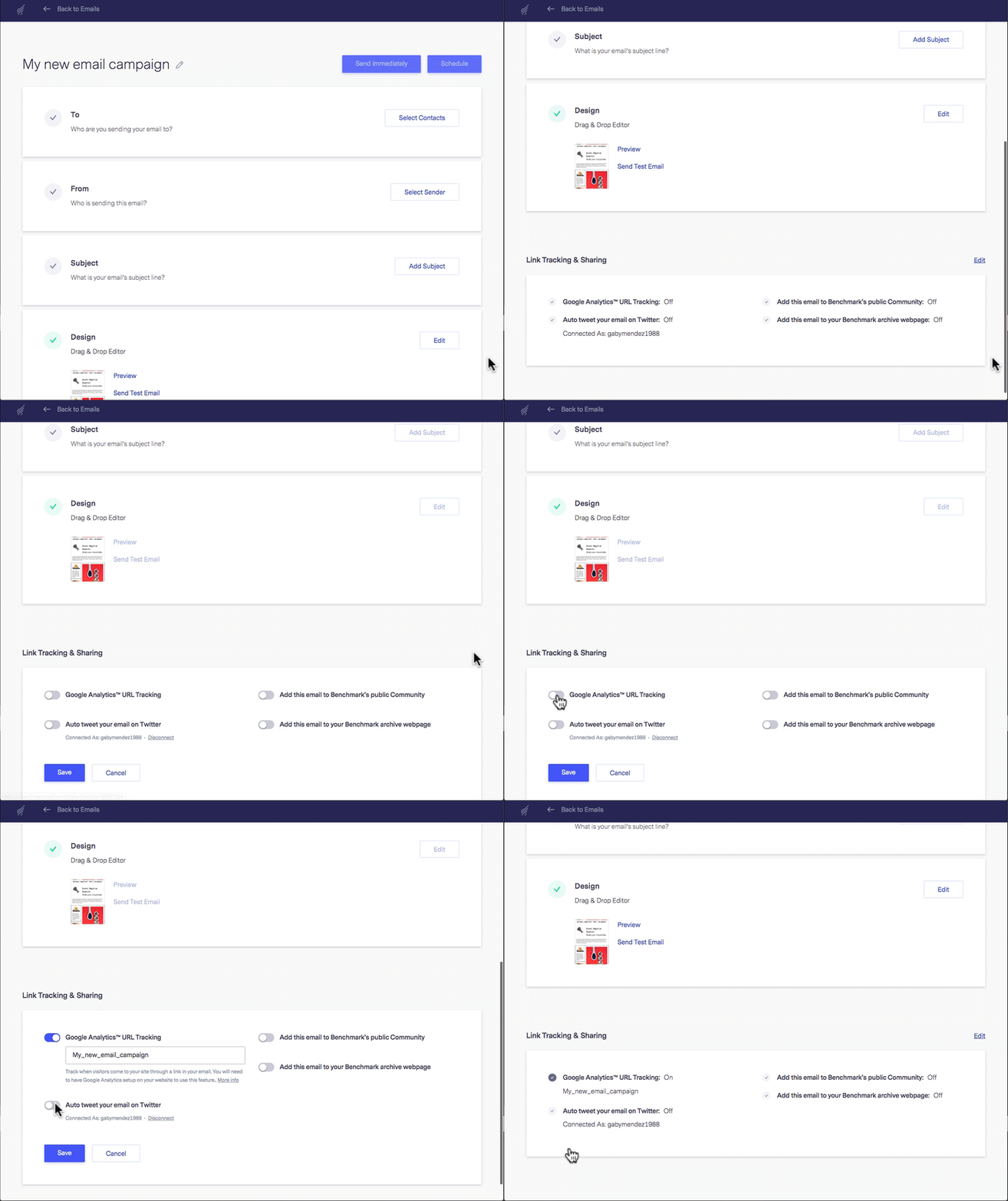
Benchmark will now automatically add a utm_source code to all of your URLs so that GA4 can track your email recipients.
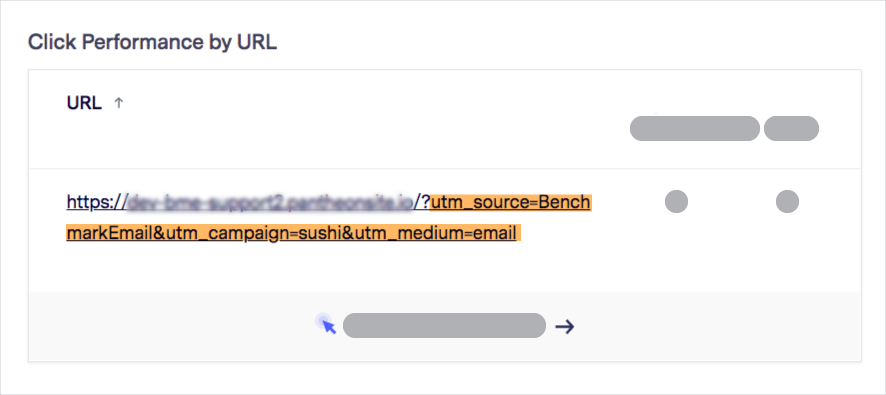
Google Analytics has changed to Google Analytics 4. The previous generation of Google Analytics was Universal Analytics. If you set up Google Analytics before October 14, 2020, you are using Google Universal Analytics. You can access the new version from your Google account by following the setup assistant steps.
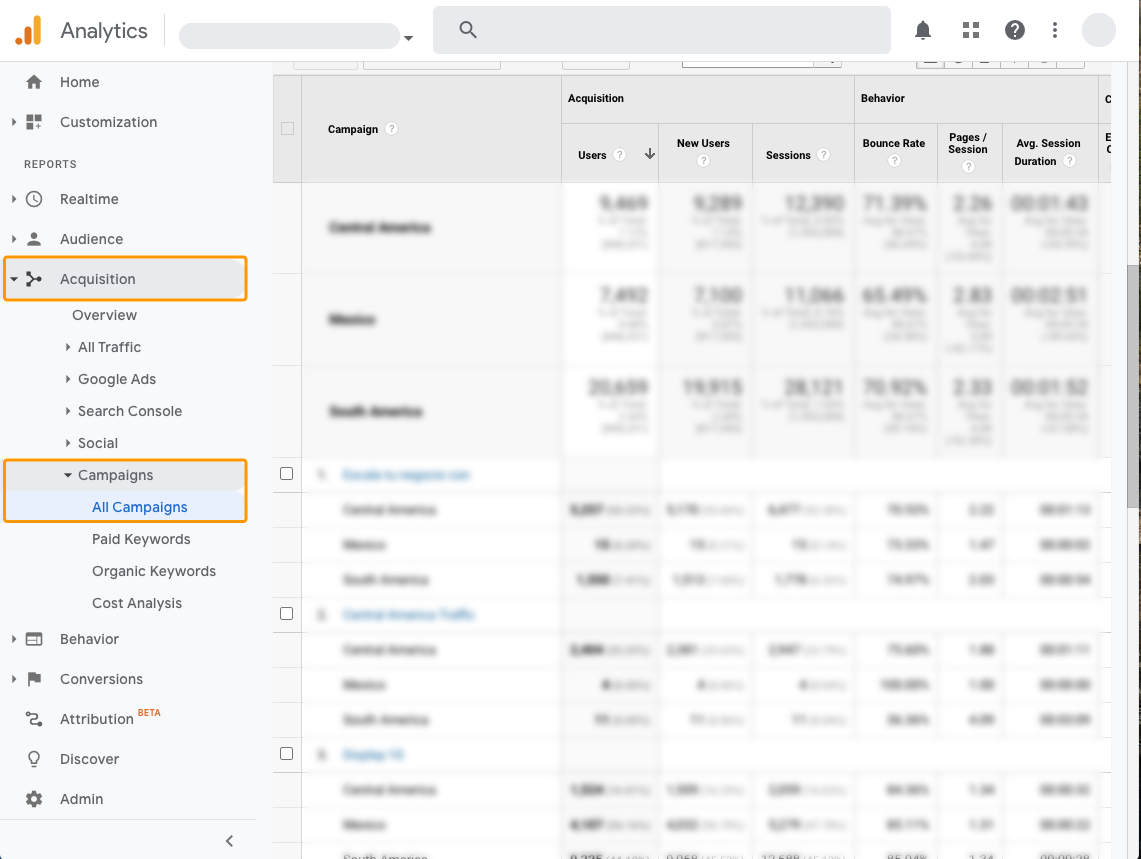
To view the reports for the website you are tracking, see the steps below.
 IMPORTANT
If your campaign is not visible in Google Analytics 4, you can search for the campaign’s name. Keep in mind the date range in which you are searching for campaigns. Please allow 24-48 hours for Google Analytics to process the data.
If you have any questions, please contact our support team.


