Knowledge Base Home  Drag & Drop Editor Email Sections and Blocks
Add new sections and rearrange blocks as you go. Use sections to add new columns in your email and blocks to add content such as images, text, or buttons. With the Email Drag & Drop Editor, styling emails is easy and fast, something our customers love and appreciate.
Topics covered in this article:
Sections are what we use to structure your email in the editor. Sections allow you to divide your content and serve as a container for your content blocks. You can add new sections, delete sections as you style the email, and style the different sections in your email individually.

Here is how sections work:


In the Global Styles settings, you can manage the color scheme of your email; you can also add a universal background color and add a border to your email.

There are 27 different color schemes available; choose one that best suits your needs. Sections and blocks can still be customized even if there is a specific color scheme selected.
The background color option lets you select one specific color for your email background, choose from the colors available or add your color hex code. Additionally, individual sections and blocks can be assigned their own background color.
You can change the background to full width or a framed width background in the email border option. The full-width background does not have additional styling options.In the framed background option, you can add or change the following:
The Show Sections option allows you to view all of the sections in your email, select Hide Sections, to remove the section names. From this screen, you can also click on any block to edit.

Separate from sections, blocks are what will hold and show your content email content. Blocks can be used as design elements and also functionalities. Use blocks to add images or buttons as well as text. Each content block has different styling options.
To add a block to your email, click on the desired block, and drag it to a section in your email.
The following are the blocks available in the email editor.

With these blocks, you can upload an image or select from images already in your gallery. To use any of these blocks, drag it into your email, then you have two options to add your images:
An image block will add an image to your layout, while the Image Card block will add an image and text within a frame.
Here you see an image block on the left and an image card block on the right.

Use the image block when you need to add a simple image. Use the image card block when you need to add a description to your image. If you move this block, the description will move as well.
To learn more about what you can do with individual image blocks and how to add images, click here.
May interest you:

There are three types of Image Caption blocks:
To learn how to add an Image Caption block, click here.
An image caption block is a block that allows you to add text within the same image block. The main difference between caption blocks and image card blocks is that the image caption block has no frame or container. You can adjust the padding to the edge of your layout, as in the example below (caption block at left, image card block at right).


You can add text to your email through the text blocks. To use any of the text blocks, simply drag it to the desired place. Once there, click on it and replace the default text with yours.


Text block. This block adds a text container box to your layout.
Boxed Text. This block adds a frame around the text container.

Text with images. If you need to add images with text, you can use image card block or the image caption blocks.
To edit your text, use the toolbar located above your email. There you will find the common text editing options. You also have other editing options, such as converting text to an anchor, adding a link, an image, or even linking a document.
The Benchmark Spell Check feature checks your content to ensure that the spelling in your email is correct. The language for the Spell Check will default to your account’s preferred language. You can change the language or turn off the Spell Check feature in the email’s top menu bar.

To see the Spell Checker in action, open any text block and begin writing. Misspelled words are underlined in red. You can right-click on the word to select the correct spelling or to ignore the warning. The More option will open another list of words available.

 IMPORTANT
Right click not working: Some operating systems have default settings for right-click gestures. Check your mouse or trackpad settings if right-clicking does not prompt the spelling suggestions.
 CONSIDER
Choosing the Ignore option saves the preference during that instance. If you close the block and return to it later, the misspelled word will show as misspelled.
The Spell Check feature is currently available in the following languages.
Copy and paste your content from other sources using the Easy Paste feature. The Easy Paste feature makes copying and pasting content from other sources like your website, Google, and Microsoft Documents fast and easy. You can remove the original formatting or keep it to match your other pages.
To use the Easy Paste feature, follow the steps below.

IMPORTANT


To add source code, click on the code icon, and paste in your code.
If you don’t see the options mentioned above, please click on the More options icon from your toolbar.

By clicking on the text block, you will see the customization options at the left.
In the Container tab, you will be able to set the background color, the padding, and the border for the boxed text block.

Use the Content tab to adjust the line height and, if needed change the number of columns.

As any text editor, you have the basic format tools. Find everything you need to customize your text in the upper bar (bold, italic, underline, strikethrough, text color, font type, and size).
Here you can also use the alignment options and add a numbered or bulleted list.
In addition, you can attach links, anchors, images, videos, files and use the merge options.

 SUGGESTION
CONSIDER
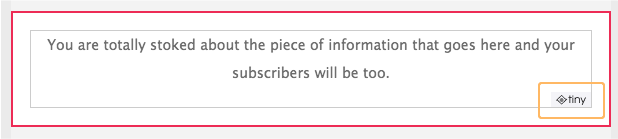
Sometimes, you’ll see the TinyMCE logo when editing a text block. TinyMCE is a 3rd party we use to make our Drag and Drop better and faster. The logo will not appear in your emails, only when you are editing a text block.

Videos are very effective visual tools. Through video, you can show the qualities of a product or the reasons why they should choose you instead of other competitors. Don’t miss out on the opportunity to use videos in your email.
CONSIDER
To learn how to add a video to your email, click here.

Use dividers to create spaces between blocks or sections in your email. Dividers don’t have to be blank spaces. To add a divider block, drag it into the desired section.
Discover all the divider possibilities here.

The CTA (call to action) is the most interesting part of your email. Buttons can be used to entice subscribers to visit a landing page.
To add a button, drag it to the desired location. On the left panel, you will see the options to customize your button. To learn more about the editing options for buttons, please see our glossary. Keep reading to configure the button Content.


Social media blocks are essential. Our editor offers you two types of blocks to add your social networks. To use any of the blocks, drag it to the place of your choice.
The social follow block allows you to add your social media icon or the icon plus the text. This block will allow you up to 20 different services, including Facebook, Twitter, Whatsapp, Linkedin, YouTube, Pinterest, RSS, Vimeo, TripAdvisor, and others.
The social share block will allow you to add: Facebook, Twitter, Linkedin, Myspace, and Instapaper. This block will allow users to share your email with the mentioned social networks directly.
If you want to redirect your email recipients to your social networks, use the Social follow button. So they can click on the desired social media and like it or add it to their preferences.
If you want the users to share your content, use the Social Share block.
To learn how to use container settings, go to the glossary.
Follow these instructions to add a service in both blocks:

Additionally, when hovering your mouse on a social icon, you have the option to move it or delete it.


The navigation bar can be used to direct your email recipients to other parts of your email with an anchor, or it can be used for external links.
How to add a navigation bar

How to customize a navigation bar

To learn about the Container tab, please go to the Glossary.


The Ecommerce block can be used to promote and sell products in your emails.The Ecommerce block includes the following:

To use the product block, click on the block and drag it to a section in your email.

To customize your Ecommerce block, follow the steps below.
Here are a few examples of how the Ecommerce block can be used and styled.


To get started, click and drag the block to the desired section in your email.
To use the Shopify Product block, you’ll need an active paid Shopify account. Upon using this block for the first time, you will need to integrate Shopify with your Benchmark account. To learn how to integrate your Shopify store with Benchmark, click here.

Once you have successfully integrated your Shopify account with Benchmark, you’ll see a list of your available Shopify products.

Select one of your available products. The blocks will automatically fill in the product information using the details in Shopify.
The Shopify Product block includes the following:

Important

Here are a few examples of how the Shopify Product block can be used and styled.


Cut your design time using Saved blocks. Saved blocks can be saved and stored to reuse in future designs. The block’s styling, text, and images will be saved when you save the block. Once the block is added to your design, you can modify the content, and the original saved block will remain unchanged.
To save a block, hover over the block in your design and click on the save block option. Give the block a name and click Save and Close.

To use a Saved Block

Deleting Saved Blocks


If there are no saved blocks left, you can delete the Saved Block from your design.
Here are some examples of how you can optimize your emails with the use of Sections.
We started by adding a navigation bar in the header section. The title in this example uses the left sidebar section, then in the second column, we added the images and text using image card blocks. Finally, in the bottom left side column, we added social media icons and requested subscriber feedback.

Here we created an email using one and two-column sections. We also added a framed background and used the border-radius option in the global settings to emphasize the email’s body.

In this last example, we created an email using multiple-column sections. We used a divider to show space between sections. As you can see throughout the email, we used image blocks, text blocks, button blocks, social media blocks, and a video block.

The container settings will vary depending on the block you are editing.
Background color
With this option, you can set the background color of an element. To use it, click on the color circle and select a color from the color bar. If you have the Hex code, paste it directly into the box. Click on Save when done. The reset option will return the item to its original appearance.
Border and line style
Some elements have the border option available. You can set a color border by clicking in the color circle, then selecting a color from the color bar. You can use Hex codes here too. For the border style, choose from the nine available line styles and then add a thickness from 0 to 99. just change its color to transparent or the thickness of the line to zero. The reset option will return the item to its original appearance.
Corner Radius
Some elements have the corner radius option available. This option sets how rounded the corners of an element could be. You can set the radius from 0 to 20. When done, you can check on the Apply radius to all buttons on the block; this will make all of the buttons have the same radius.
Gutter Size
A gutter size is an option available in some blocks like the navigation bar, social follow, and social share block. This option defines the space between one element and another. To set the gutter size, slide the green point from 0 to 20.
Padding and Margin
Paddings and margins usually are options available under the Content tab. Both are relative to the space surrounding an element. You can set the padding or margin by sliding the bar from 0 to 100 or by adding a number from 0 to 99 in the margin box.
Alignment
The alignment option is relative to the position of an element. You can set it by clicking on the desired alignment options; center, left, right, bottom, or top.
Line Height
The line-height option is only available for a text block, and it’s used to define the height between two inline elements. The options available are Single, 1.25, 1.5, and Double.
Hex Code
The hex code Is the value that represents a color. This code starts with a pound sign (#) and is followed by six characters; for example, #CFCFDA the characters could be numbers or letters. Hex codes can be used to add branding colors. If you are not sure what your hex code colors are, you can use design software or a color picker online.
If you have any questions, please contact our support team.


