


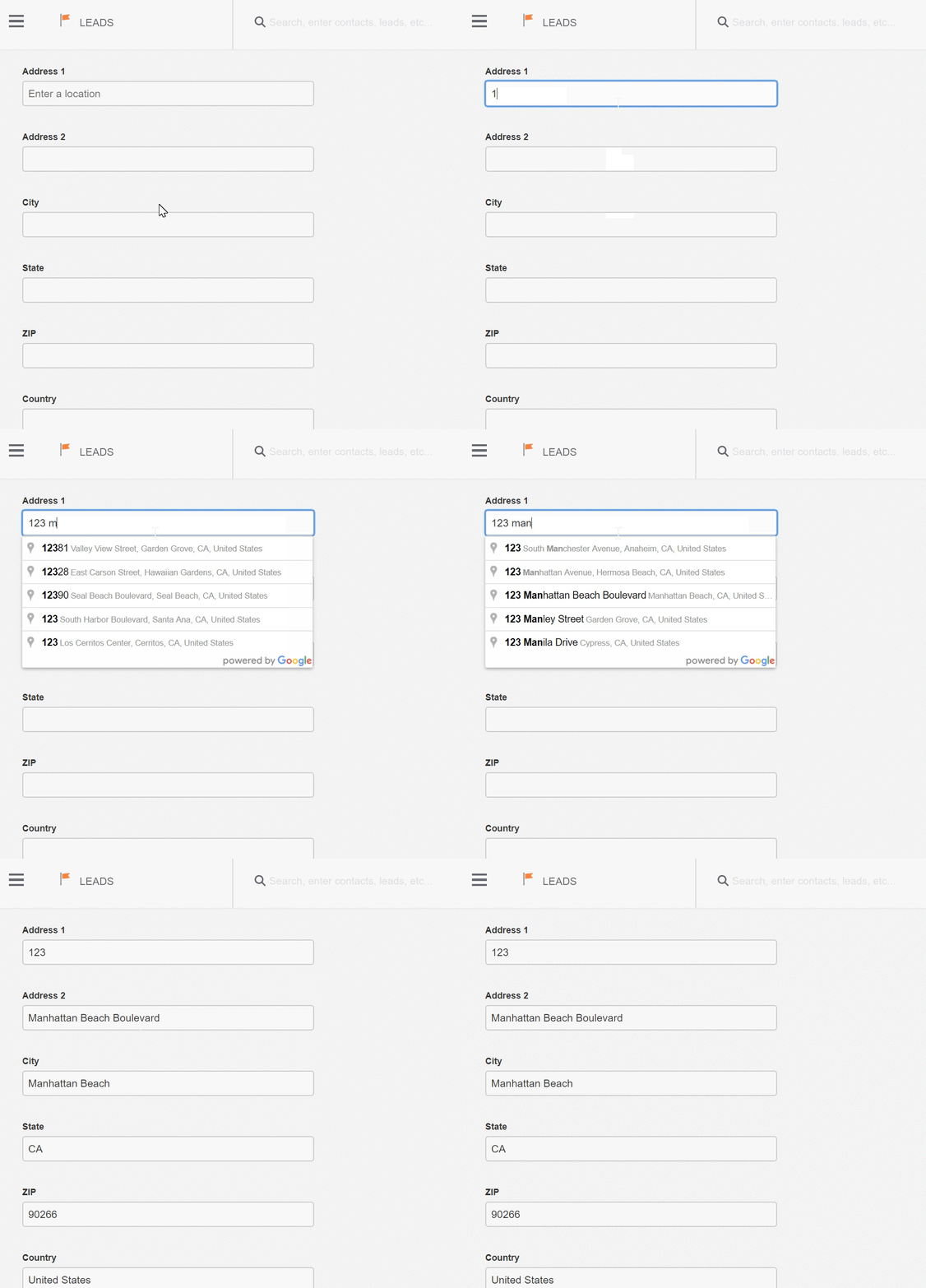
We’ve integrated with Google Maps! Now you can enter an address for a contact or lead and Google will prompt probable matches based on your first few characters and location.
- This saves time
- This cuts down on address errors
All you need to do to start is enter the address on the address line of your contact or lead. Let Google figure out the rest!
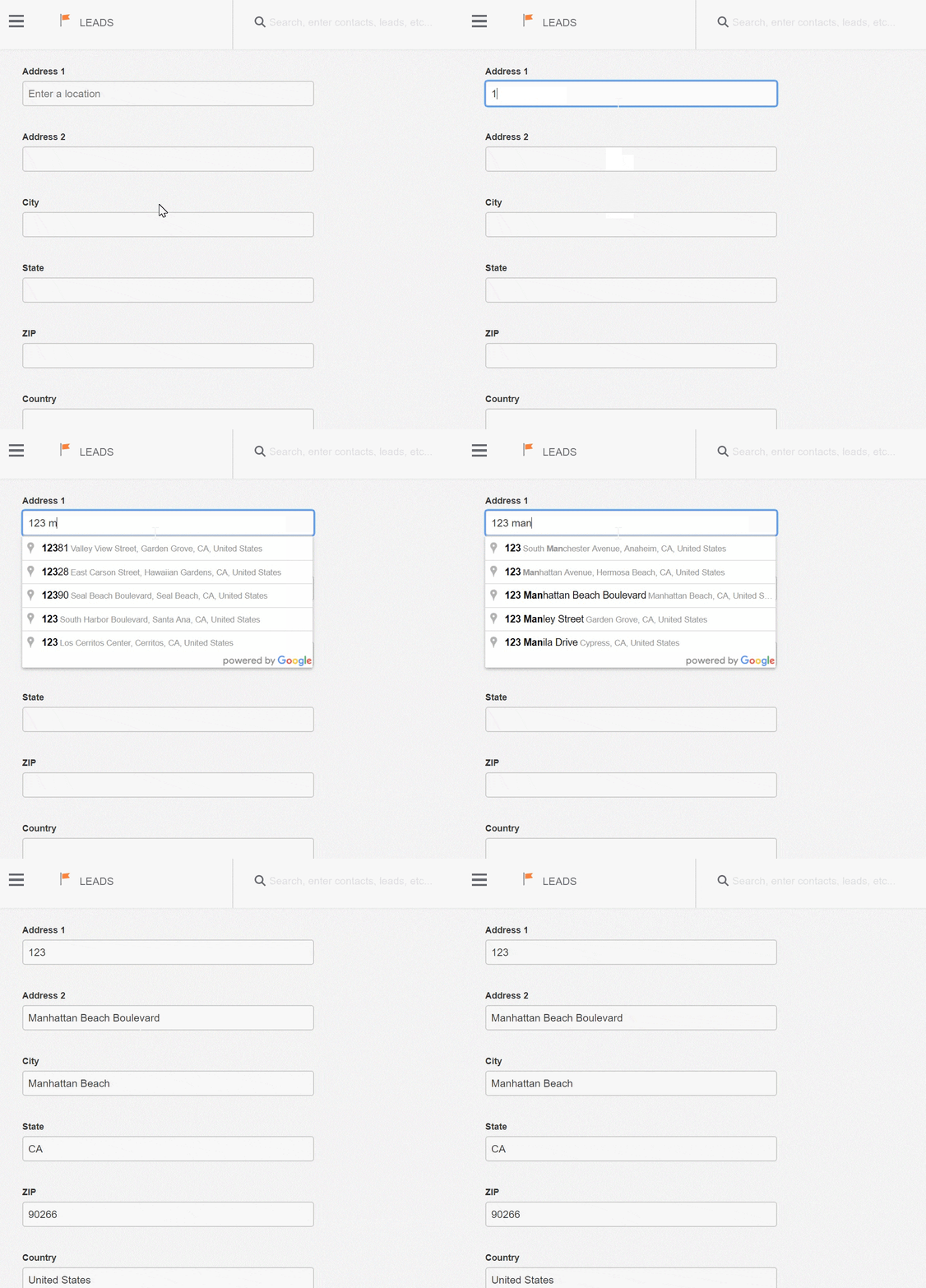
In the unlikely event that the address you type in isn’t found, you can just ignore the suggestion. But like autocorrect, you’ll soon find you’re reliant on the little extra help.
It’s so easy to use, there’s nothing else to explain. Next time you’re creating a lead or contact, see how a little text goes a long way when typing in your addresses. We love little time savers like these. Integrating with Google maps is just one more solution from Benchmark!
About the Author:

Paul Rijnders is the Product Strategy Manager for Benchmark Email, where his focus includes product development, research, technical writing, feature development, testing and launching of SaaS products and iOS apps that interact with our software via API. He is the human junction between the executive and marketing teams that request the product, the IT team that builds the back end, the design team that creates the front end, the content team that gives the product a voice and the eager sales and support teams who will eventually take delivery of the product. Paul is a product of the CSUF advertising program, He now rounds out his schedule teaching college level courses to multi-media undergrads on two California campuses.

A powerfully simple email marketing platform
Sign up for free to see how effortless email marketing can be.
Our Company
Compare
Solutions
Compare
Account
© Polaris Software, LLC Benchmark Email® is a registered trademark of Polaris Software, LLC
© Polaris Software, LLC
Benchmark Email® is a registered trademark of Polaris Software, LLC