


Social Media Emails Done Right: 2025 Edition (How to Feature Social Posts and Events That Actually Work in Email)
Did you know that as of this year, social media has 5.24 billion users? And the number of active email users in 2025 is 4.59 billion.
Now consider the results if you combine the two.
If you’re online, you can’t ignore either social media or email marketing. Both are indispensable to your overall digital marketing strategy. Both offer a feel of transparency, let you engage your audience more personally, and provide an incredible way to facilitate outreach.
This article will help you bring these platforms together to reap a double benefit.
The Social Shift: From “Embed Everything” to “Feature Smartly”
Not too long ago, “embedding” a social post in an email meant copying code or dropping in an iframe—only to find out it didn’t render correctly in Gmail, Outlook, or Apple Mail.
Fast-forward to 2025: email clients are smarter, privacy protections are stricter, and marketers have better tools. Today, featuring social media in your emails isn’t about embedding code. It’s about creating clean, privacy-safe previews that drive engagement—without breaking your design.
Why Social Still Matters in Email
Your subscribers follow you on social media for a reason: it’s where your brand’s personality comes alive. Bringing that same energy into your emails keeps your content dynamic and familiar. A well-placed post preview can:
- Spark conversation around trending content.
- Promote live events or time-sensitive campaigns.
- Reinforce your brand voice visually.
- Drive new followers (and engagement) on your social channels.
In short, email meets social is still a winning combo—it just needs a modern approach.
What’s Changed: Privacy, Permissions, and Pixels
Between Apple Mail Privacy Protection (MPP) and stricter cookie policies, tracking and embedding methods have evolved. That means:
- No live embeds: Social network embed codes rarely render consistently across inboxes and can break deliverability.
- Safer alternatives: Use image or GIF previews instead of code-based embeds.
- Respect consent: Only feature user-generated content (UGC) with permission.
- Accessibility first: Every visual should include alt text and mobile-safe formatting.
The goal? Keep emails lightweight, compliant, and beautiful—without sacrificing engagement.
The Smarter Way: Featuring Social with New Benchmark Email
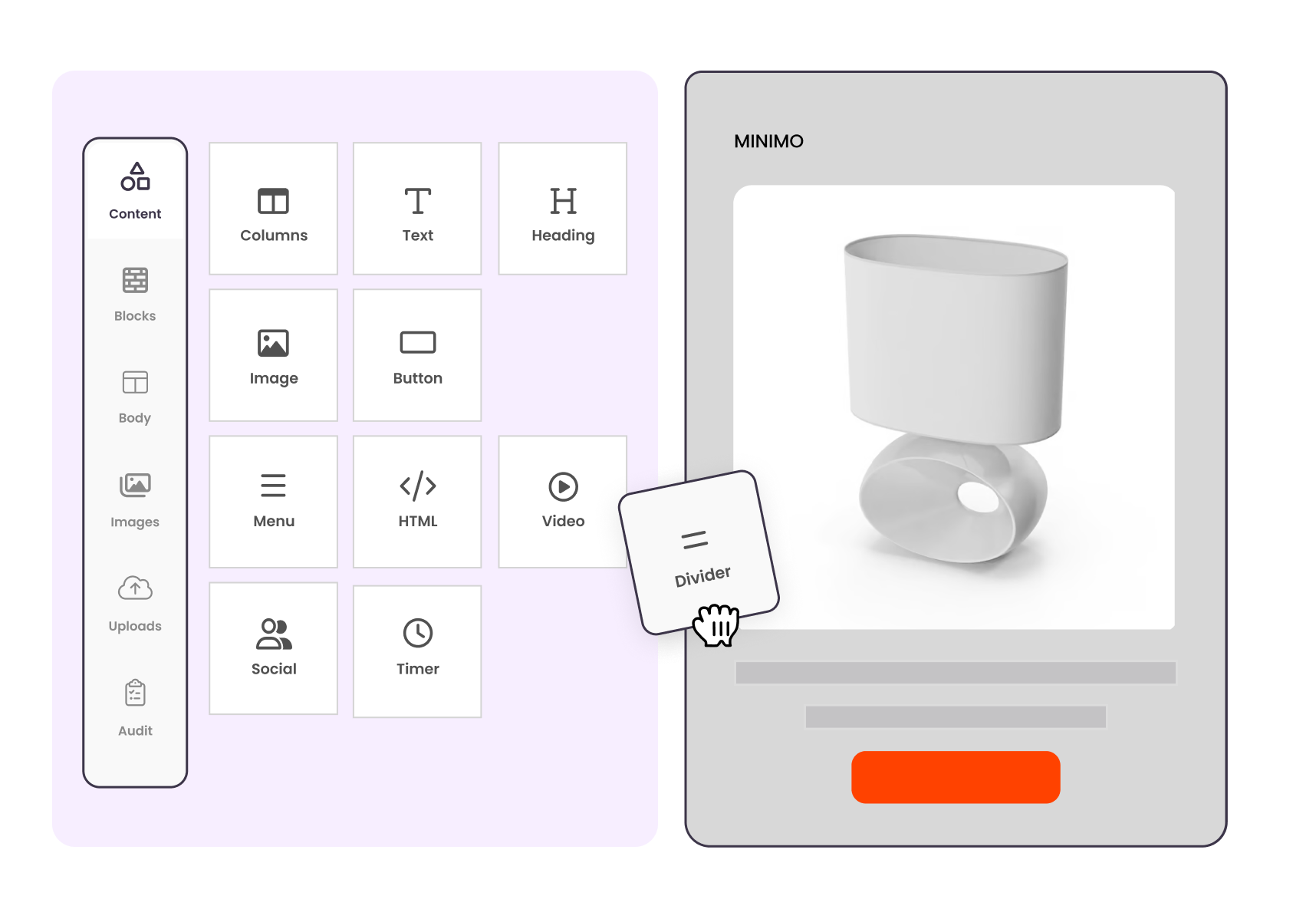
With Benchmark Email, you don’t need to fuss with HTML snippets or screenshots anymore. Our intuitive drag-and-drop builder and modern templates make showcasing social content effortless.
Here’s how busy marketers can do it better:
1. Use Social-Ready Templates
Choose from Benchmark’s gallery of email templates designed with content blocks for social previews. Drop in your latest Instagram image, TikTok thumbnail, or X post graphic—then link directly to the post.
2. Create Visual Previews That Pop
Our built-in image editor lets you crop, adjust, and layer text for a branded look—no design software required. You can even use AI-powered Smart Text to generate short captions or rephrase your social headlines for clarity in email format.

3. Feature Live Events or Webinars Seamlessly
Rather than embedding calendar widgets or Facebook events (which often fail in email clients), use an image-based card with a bold “Add to Calendar” CTA. Pair it with a link to your event page or registration form. It’s simple, fast, and inbox-proof.
4. Add Personality with “Follow Us” Footers
Instead of treating social icons as an afterthought, elevate them. Benchmark templates support branded social footers that match your color palette, fonts, and CTA tone. A unified visual style reinforces your brand across every touchpoint.
What to Avoid in 2025
Even with new tools, some habits are worth leaving behind:
❌ Don’t embed code snippets from X (Twitter), TikTok, or Instagram. Most clients will strip them out.
❌ Don’t rely on autoplay video or audio. Email isn’t built for it—link to hosted versions instead.
❌ Don’t forget accessibility. Every image or GIF should include alt text and be legible with sufficient contrast.
❌ Don’t overdo it. Too many visuals can slow load times and trip spam filters.
Remember: what looks great on your desktop might break in a subscriber’s inbox. Benchmark’s preview tools can help you test for consistency across devices before you send.
Example: A Social Highlights Newsletter That Works
Here’s a simple formula for success:
Subject Line: “This Week’s Top Posts + Your Invite to Our Fall Launch Event 🎉”
Hero Section:
- A clean preview image from your top-performing Instagram or LinkedIn post.
- Short caption (1–2 lines max).
- A clear CTA button: “See the Post” or “Join the Conversation.”
Mid-Email Feature:
- A branded event card using a Benchmark “Event Block.”
- Add a description, date, and “Save My Spot” button.
Footer:
- Consistent “Follow Us” icons and branded footer message: “See what we’re up to this week → @HANDLE”
This approach keeps things consistent, clickable, and compliant—all while letting your brand personality shine.
Email and social don’t compete; they complement each other. Your emails build anticipation, while your social feeds tell the ongoing story.
By blending them strategically—with a privacy-first, user-friendly mindset—you’ll strengthen both channels and make engagement effortless.
And with the new Benchmark Email’s drag-and-drop builder, smart editing tools, and ready-made social templates, creating that connection takes minutes—not hours.
About the Author:

High level marketing, technical email topics, email trends | Jessica Lunk is the VP of Growth Marketing at Benchmark Email, where she combines strategic flair with hands-on expertise to help busy marketers elevate their email game. Delivering timely insights on list hygiene, ROI, and email deliverability, she’s a go-to voice for practical marketing wisdom.

A powerfully simple email marketing platform
Sign up for free to see how effortless email marketing can be.
Our Company
Compare
Solutions
Compare
Account
© Polaris Software, LLC Benchmark Email® is a registered trademark of Polaris Software, LLC
© Polaris Software, LLC
Benchmark Email® is a registered trademark of Polaris Software, LLC