


The beauty of personalization is that it shows your leads that you know who they are. It shows them that you understand their issues, needs, and how your product or service fits within that equation.
What’s even better is that it doesn’t require a ton of work on your end. You don’t need to individually research each prospect in your database to determine what their knowledge level is and what they need to make their lives easier. All you need to do is employ the right email tool.
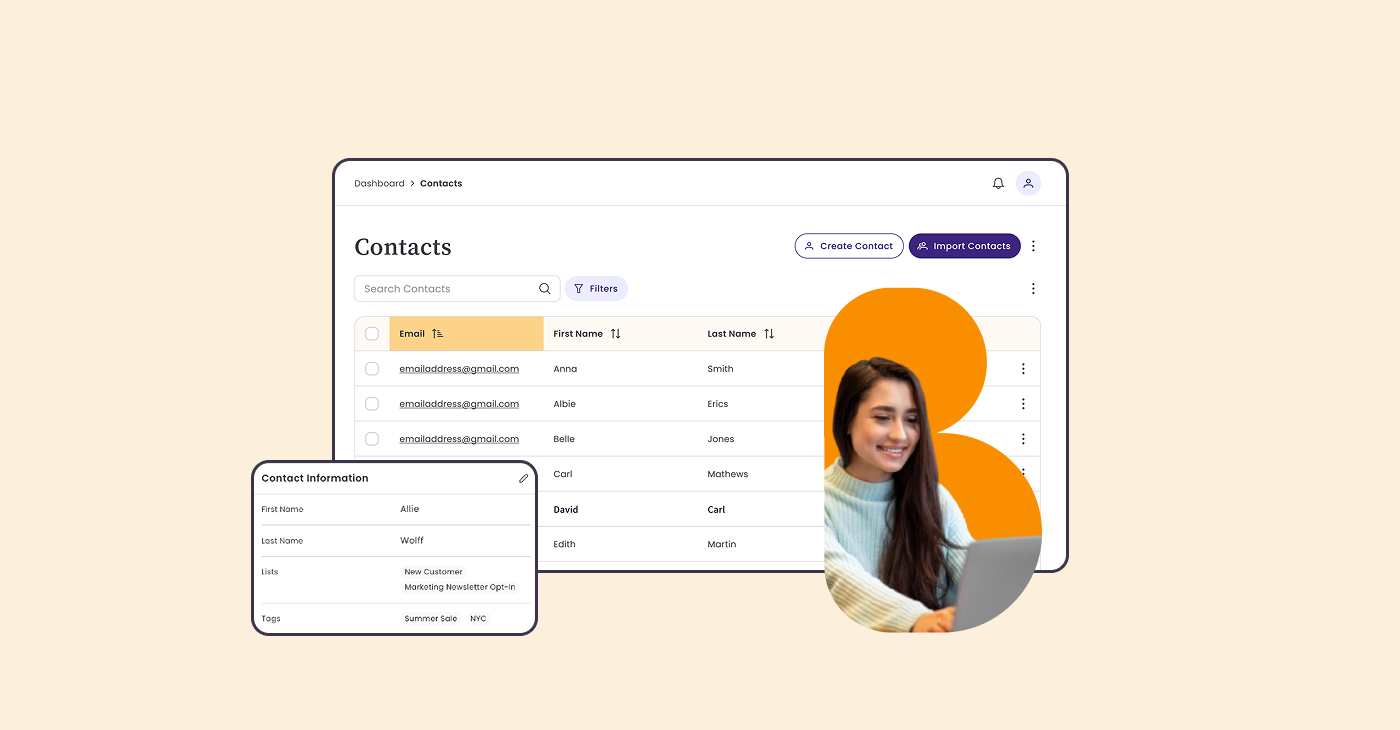
In Benchmark Email, tags make it easy to organize contacts based on who they are, what they care about, and how they interact with your emails, so you can send more relevant campaigns without extra complexity.
Below are practical ways to use tagging to segment your audience and make every send more effective.
1. Tag Contacts Based on Purchase History
Tags are a simple way to reflect customer history inside your contact list, even if that data comes from outside your email platform.
Common use cases:
- First-time customers: Tag contacts after their first purchase and send helpful follow-up emails, such as product tips or brand introductions.
- Repeat customers: Group loyal customers with a tag so you can reward them with exclusive offers or early access.
- Product interest tags: Tag contacts based on what they’ve purchased to send more relevant recommendations or updates.
Why it works: You don’t need complex workflows, just clear tags that help you send the right message to the right people.
2. Tag by Email Engagement
Not every subscriber engages the same way, and tagging helps you reflect that inside your contact list.
Examples:
- Highly engaged: Tag contacts who regularly open or click your emails so you can send them your most important updates.
- Low engagement: Identify contacts who haven’t interacted recently and group them for re-engagement or check-in campaigns.
- Inactive contacts: Tag subscribers who’ve gone quiet so you can decide whether to win them back or pause sending.
Why it works: Engagement-based tags help you stay relevant and protect deliverability without overthinking it.
Smaller List, Bigger Impact: Why Removing Unengaged Subscribers Boosts Email Performance
DOWNLOAD NOW3. Tag Contacts by Lead Source
Knowing how someone joined your list can shape what you send next.
Popular lead source tags include:
- Website sign-ups
- Event or webinar attendees
- Social media subscribers
By tagging contacts at import moments or at signup, you can send follow-up campaigns that match their original interests without creating separate lists.
4. Tag by Actions or Milestones
Tags are perfect for tracking meaningful moments in a contact’s journey.
Examples:
- Downloaded a guide or resource
- Registered for a webinar
- Attended an event
Once tagged, you can easily segment those contacts later to share related content, updates, or next steps.
5. Use Location-Based Tags
Geographic tags help you tailor messaging without overcomplicating your lists.
Use cases include:
- Promoting region-specific events or offers
- Sending seasonal messaging by location
- Segmenting contacts by country, state, or city
This is especially helpful for brands with audiences in multiple regions or time zones.
6. Tag Interests and Preferences
Let your subscribers tell you what they want, and use tags to remember it.
Examples:
- Product or content interests
- Preferred email frequency
- Topics they care most about
Interest-based tags make it easier to send focused campaigns that feel personal rather than generic.
7. Tag New vs. Long-Time Subscribers
Not all subscribers should get the same message.
Try tagging by:
- New subscribers: Easily group recent sign-ups to send welcome emails or onboarding content.
- Long-time subscribers: Recognize loyal readers with milestone messages or special offers.
This keeps your messaging aligned with where people are in their relationship with your brand.
8. Tag by Customer Stage
Tags can also reflect where contacts fall in your broader customer journey.
Examples:
- Prospects who haven’t purchased yet
- New customers
- Repeat customers
With clear tags in place, you can quickly create segments that match your campaign goals, without juggling multiple lists.
9. Organize Referral or Partner Contacts
If you work with partners, affiliates, or referral programs, tagging keeps those contacts easy to manage.
Use tags to:
- Share partner-specific updates
- Send performance or program info
- Keep these contacts separate from general subscribers
10. Tag by Demographics (When Available)
When you have demographic data, tags help you use it.
Examples:
- Industry or role
- Business type
- Experience level
This makes it easier to tailor messaging without creating dozens of lists.
Final Thoughts: Simple Tags, Smarter Sends
Tagging in Benchmark Email is all about clarity and control. Instead of wrestling with complex setups, you can:
- Keep one clean contact list
- Add meaningful tags
- Create targeted segments in just a few clicks
The result? More relevant emails, better engagement, and less time spent managing your audience, so email marketing stays the easiest part of your day.

Sign up for a free Benchmark Email account today!
SIGN UP FREEAbout the Author:

VP Product Marketing | Product, marketing, email | Allie Wolff is VP of Product Marketing at Benchmark Email, where she drives measurable product growth through compelling positioning, messaging, and go‑to‑market strategies. With over 18 years of expertise spanning B2B SaaS and email marketing, she’s spearheaded landmark initiatives—from the Canva integration to the rollout of Smart Content—bringing clarity and impact to busy marketers everywhere .

A powerfully simple email marketing platform
Sign up for free to see how effortless email marketing can be.
Our Company
Compare
Solutions
Compare
Account
© Polaris Software, LLC Benchmark Email® is a registered trademark of Polaris Software, LLC
© Polaris Software, LLC
Benchmark Email® is a registered trademark of Polaris Software, LLC