



Key Takeaways
- Transactional and marketing emails need separate infrastructure. Pair a dedicated transactional provider with Benchmark Email for marketing.
- Teams are leaving SendGrid over shared-IP deliverability issues, slow support, and pricing that escalates quietly at scale.
- Mailtrap is the top pick for deliverability, with separate sending streams, modern integrations (Vercel, Supabase, MCP), and a 99% uptime SLA.
- Amazon SES is the cheapest at scale ($0.10 per 1,000 emails) and ideal for AWS-native teams willing to build their own surrounding infrastructure.
- Postmark delivers fast with strong inbox placement, but pricing scales steeply, and dedicated IPs are gated to senders above 300K/month.
- Mailgun offers powerful routing and isolated sending domains for developers, though it has higher spam placement and only 5 days of log retention on the base plan.
- Brevo combines transactional email, bulk email, and SMS into one platform, ideal for eCommerce and SMBs seeking multi-channel messaging in a single tool.
- When choosing, verify SPF/DKIM/DMARC, compare real costs at your actual volume, and evaluate SDK quality for your stack.
- Dedicated IPs make sense for ~100,000 emails/month or more, with a 2–4-week warm-up period.
- Switching providers technically takes 1–3 days, but plan for 2–4 weeks of parallel sending during IP warmup to avoid downtime.
Transactional vs. marketing email: what’s the difference?
Marketing emails are newsletters, promotions, and drip campaigns you send to subscriber lists. Benchmark Email offers a drag-and-drop email builder, list segmentation, contact management, and performance analytics.
However, transactional emails are different. These are the password resets, order confirmations, and account alerts that fire automatically when a user takes an action. They need their own infrastructure because the priorities are completely different: delivery speed and inbox placement matter more than open-rate optimization or template design.
If you already use Benchmark for your marketing campaigns, the platforms below are what you’d pair with it on the transactional side.
Why teams are moving away from SendGrid
SendGrid is one of the most widely used transactional email services, but frustration with the platform has been growing. Deliverability problems on shared IPs, slow support response times, and pricing that escalates quietly at scale are the complaints that come up most often.
This guide covers five alternatives worth considering in 2026: Mailtrap, Amazon SES, Postmark, Mailgun, and Brevo.
Quick comparison table
| Provider | Primary focus | Free plan | Starting price | Dedicated IP |
| Mailtrap | High deliverability | 4,000 emails/mo | $15/mo | From $85/mo |
| Amazon SES | AWS ecosystem | 3,000 emails/mo (12 mo) | $0.10/1,000 | $24.95/mo |
| Postmark | Delivery speed | 100 emails/mo | $15/mo | $50/mo (300K+ vol.) |
| Mailgun | API routing | 100 emails/day | $15/mo | Available |
| Brevo | Multi-channel | 300 emails/day | $15/mo | Contact sales |
Mailtrap: best for email deliverability
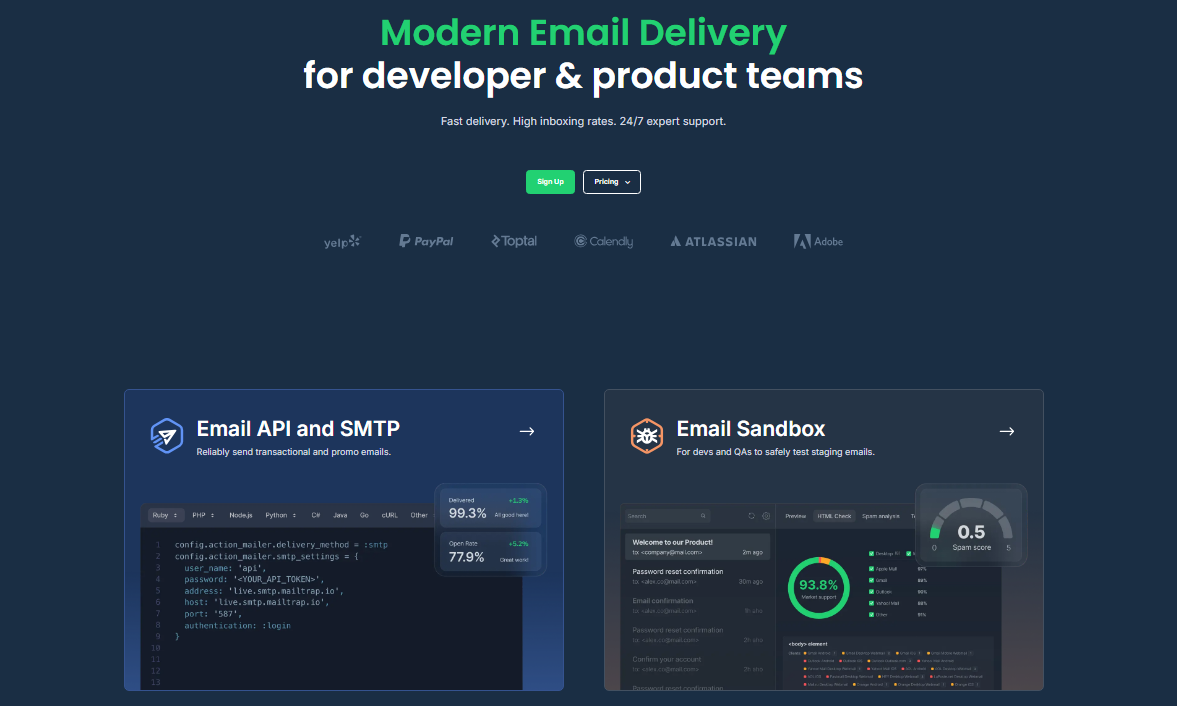
Mailtrap is an email delivery platform built for developers and product teams, prioritizing high deliverability. It separates transactional traffic from bulk marketing streams by default, which means a bad batch of promotional emails won’t drag down your password resets or shipping notifications.
Key features
- Separate sending streams: Transactional and marketing traffic run on isolated streams. Marketing bounces won’t affect order confirmations or password resets.
- Email API and SMTP: SMTP relay and RESTful API with official SDKs for Node.js, Ruby, PHP, Python, .NET, and Elixir.
- Actionable analytics: Drill-down reports track open rates, bounce rates, and spam complaints by provider (Gmail, Outlook, etc.). Email logs are retained for up to 30 days.
- Expert support: Access to deliverability engineers, migration assistance, and onboarding help.
Pros
- High inbox placement rates: Mailtrap’s infrastructure is optimized for transactional email deliverability.
- Time-to-value: Streamlined setup that gets you from account creation to your first send in under 5 minutes.
- Modern stack & AI-ready: Native integrations for Vercel and Supabase, plus an MCP server that equips AI tools like Claude Code with direct “email skills.”
- Reliability: 99% uptime SLA backed by distributed infrastructure
- Security & compliance: ISO 27001, SOC 2 Type II, and GDPR certifications cover enterprise and regulated use cases.
Cons
- Support: 24/7 support is only available from the Business plan onward
Pricing
Free tier covers 4,000 emails per month. Paid plans start at $15/month for 10,000 emails. The Business tier at $85/month for 100,000 emails includes a dedicated IP and automated IP warmup.
Amazon SES: best for AWS users
Amazon SES is a pay-as-you-go SMTP and API service for cost-conscious technical teams already operating within AWS. It’s the cheapest option on this list, but you’ll need to build most of the surrounding infrastructure yourself.
Key features
- AWS ecosystem integration: Connects natively with Lambda, S3, and SNS for automated email workflows.
- Virtual Deliverability Manager: Dashboards and optional automatic optimization for monitoring reputation metrics.
- Inbound routing: Supports flexible inbound message processing alongside outbound sending.
- Global endpoints: Select specific server regions to optimize latency and meet data residency requirements.
Pros
- Cost at scale: The most cost-efficient option for high-volume sending, particularly for teams already within the AWS ecosystem.
- Reliability: Built on AWS infrastructure with the uptime and redundancy that come with it.
- Security & compliance: Covered by AWS’s compliance certifications, including SOC 2, ISO 27001, and FedRAMP.
Cons
- Complex setup: Getting to production requires configuring DNS, AWS IAM permissions, removing the sandbox, and setting up CloudWatch analytics.
- Support: Ticket-based by default; phone and chat support require a separate AWS support plan.
Pricing
$0.10 per 1,000 emails. A free tier offers 3,000 emails per month for the first 12 months when sending from EC2 instances. Dedicated IPs cost an extra $24.95/month. Data transfer and attachment fees ($0.12/GB) are charged separately.
Postmark: best for delivery speed

Postmark supports both transactional and bulk emails, but it is best known for the transactional side. Like Mailtrap, it uses separate streams for different message types, and every new account goes through a review process before sending is enabled.
Key features
- Message streams: Strict separation of inbound, broadcast, and transactional emails.
- Extended retention: Activity logs and email tracking data are retained for up to 45 days.
- Event webhooks: Real-time delivery tracking and bounce management.
Pros
- Inbox placement: One of the better performers in its class, with very few emails going missing or to spam.
- Pricing: Volume-based, with all features available on every plan.
- Message streams: Transactional and broadcast emails run on separate streams, preventing bulk sends from affecting critical alerts.
Cons
- Dedicated IP: $50/month, and only accessible to accounts sending over 300,000 emails monthly.
Pricing
Starts at $15/month for 10,000 emails but scales steeply. 50,000 emails run $60.50/month. 125,000 emails cost $138/month. Dedicated IP adds $50/month on top.
Mailgun: best for developer integration

Mailgun is built for engineering teams that want fine control over their email infrastructure. Mature SDKs, flexible routing configurations, and built-in email validation make it a solid pick for technical setups.
Key features
- Advanced routing: Customizable email paths with complex failover strategies and domain-specific rules.
- Email validation: UI-based address verification to protect sender reputation before sending.
- Send-time optimization: Uses historical engagement data to deliver messages when recipients are most likely to open them.
Pros
- Sending domains: Isolated sending domains, something SendGrid doesn’t offer.
- Email validation: Built-in address validation through the UI before sending.
Cons
- Inbox placement: Higher spam placement rate than most alternatives in this group.
- Log retention: Base plan limits email logs to 5 days.
Pricing
The foundation tier is $35 per month for 50,000 emails, though a lower $15 per month tier for 10,000 emails is available. A free tier allows for 100 emails per day.
Brevo: best for multi-channel messaging

Brevo is a CRM suite that combines transactional and marketing email with SMS on a single platform. It’s aimed at eCommerce businesses and SMBs that want everything in one place.
Key features
- Multi-channel messaging: Transactional email, bulk email, and SMS marketing from one platform.
- Automation editor: Workflow builder for eCommerce triggers like cart abandonment and order follow-ups.
- Extensive integrations: Deep integrations for Shopify and WooCommerce, plus SDKs for C#, Go, Java, Node.js, PHP, Python, and Ruby.
- Template editors: Both drag-and-drop and custom HTML options for transactional email templates.
Pros
- User interface: Intuitive platform, easy to navigate and set up.
- Free tier: Sends up to 300 emails per day at no cost.
- Pricing: Volume-based with all features available on every plan.
Cons
- Analytics: Basic compared to dedicated deliverability platforms.
- Platform navigation: Some transactional settings are buried in profile menus rather than the main dashboard.
Pricing
Free tier allows up to 300 emails per day. The transactional email plan starts at $15/month for 20,000 emails. You can also send transactional emails using credits from Marketing Platform plans, starting at $9/month.
How to choose a SendGrid alternative?
Check deliverability and authentication
High deliverability starts with proper SPF, DKIM, and DMARC configuration. Beyond that, look for providers that separate transactional and marketing email streams. Both Mailtrap and Postmark do this, so a spike in marketing complaints won’t delay your password resets.
Compare actual costs at your volume
Free tiers work for early-stage projects, but the real comparison happens at scale. Amazon SES is the cheapest for high volumes at $0.10 per 1,000 emails. Other providers charge more but include features and support that SES leaves you to build or pay for separately.
Test the developer experience
Check the quality of the API documentation and the size of the official SDKs for your stack. A lightweight, well-maintained SDK saves real engineering time. Amazon SES carries a much heavier SDK footprint than Mailtrap or Mailgun, which matters if keeping dependencies lean is a priority.
The right SendGrid alternative depends on your technical requirements and sending volume. Mailtrap offers strong deliverability with a complete API toolset for product teams. Amazon SES is hard to beat on cost if you’re already in the AWS ecosystem. Postmark and Mailgun give developers deep control over routing and delivery. Brevo works for teams that want transactional and marketing messaging on one platform.
Whichever provider you choose for transactional email, keep it separate from your marketing infrastructure. On the campaign and newsletter side, Benchmark handles automation, segmentation, and audience management, so your transactional system can focus on what it does best: getting critical messages into the inbox.
Frequently asked questions
What is the difference between transactional and bulk email?
Transactional emails are triggered by user actions: password resets, order confirmations, and account notifications. Bulk emails are mass-marketing messages sent to mailing lists, such as newsletters and promotions. For the marketing side, Benchmark Email handles campaigns, automation, and audience management separately.
Do I need a dedicated IP address?
Shared IPs work well for businesses sending fewer than 100,000 emails per month, as long as you’re using a reputable provider with clean IP pools. Above that volume, a dedicated IP gives you full control over your sender reputation. Just factor in a 2- to 4-week warm-up period to build trust with inbox providers.
How long does it take to switch SMTP providers?
The technical migration (updating DNS records and swapping API credentials) usually takes 1 to 3 days. IP warmup adds another 2 to 4 weeks. Plan to send in parallel across your old and new systems during the transition to avoid downtime.
About the Author:

Content Marketing Manager | Content marketing, inbound funnel, social media, email nurture | Natalie Slyman is an experienced Content Marketing Manager at Benchmark Email with a strong B2B background and a knack for crafting pillar content that boosts SEO and brand authority. She regularly shares actionable insights—from remote-work strategies to AI-powered content workflows—via blog posts and webinars tailored for busy marketers.