



Key Takeaways
- Repurpose, don’t reinvent: A single well-crafted email campaign can fuel 5–7 social posts in one week and a full month, with variations in format and angle.
- Break the email into building blocks: the main idea, supporting points, CTA, and proof, each of which becomes standalone social content.
- Change the format, not the message: Lists, videos, questions, and quotes all let you reuse the same core content across platforms without feeling repetitive.
- Let performance data guide you: Email engagement metrics (clicks, replies, questions) tell you which ideas are worth expanding on social.
- The right tools reduce friction: Simple email platforms like Benchmark Email make it easier to spot winning content and repurpose it quickly, which is critical for small teams.
If you’re part of a tiny marketing team, this probably sounds familiar: you spend hours crafting a thoughtful email campaign, a great subject line, a clear message, a strong CTA, hit send… and then immediately move on to the next fire drill.
Meanwhile, your social channels still need content. Again. Tomorrow. And the next week.
Here’s the good news: that email you just sent isn’t “one-and-done.” With a little planning, a single email campaign can power weeks, even a full month, of social content. No extra brainstorming sessions required.
This post walks through a practical, repeatable way to turn one email into a steady stream of social posts, designed specifically for busy marketers and small teams.
Quick Take: Why This Works So Well for Small Teams
Email campaigns are already:
- Strategically planned
- Message-tested
- Audience-focused
- Aligned with business goals
Social content? Often rushed, reactive, and created from scratch. Repurposing flips that imbalance. Instead of inventing new ideas daily, you extend the life of the work you’ve already done, saving time while staying consistent across channels.
Step 1: Start with the Right Email
Not every email is a good candidate for repurposing. The best ones usually fall into these categories:
- Product or feature announcements
- Educational or “how-to” emails
- Promotional campaigns
- Customer stories or use cases
- Seasonal or themed campaigns
If the email answers a question, solves a problem, or highlights a benefit, it’s perfect fuel for social.
Step 2: Break the Email into Content “Building Blocks”
Before thinking about platforms, break the email into its core components:
- Main idea: What’s the one takeaway?
- Supporting points: 2–4 key benefits, tips, or insights
- CTA: What action are you driving?
- Proof: Stats, quotes, outcomes, or examples
Each of these pieces can become standalone social content. Think of your email as a content hub, with social posts as spokes radiating from it.
Step 3: Turn One Email into a Week of Social Posts
Let’s make this concrete. One email campaign can easily become 5–7 social posts without stretching. Here’s a simple breakdown:
Post 1: The Big Idea
Turn the email’s main message into a short, punchy post.
- Great for LinkedIn or X
- Focus on the problem you’re solving
- No selling, just relevance
Post 2: A Single Insight or Tip
Pull out one supporting point and expand on it.
- Works well as a carousel or short thread
- Educational and value-driven
- Builds credibility without promotion
Post 3: A Quote or Pull Line
Reuse a strong sentence or headline from the email.
- Pair with a simple branded visual
- Ideal for LinkedIn or Instagram
- Low effort, high clarity
Post 4: Behind-the-Scenes or “Why This Matters”
Add context that the email didn’t have room for.
- Why you created this campaign
- Who it’s for
- What problem you see customers struggling with
This humanizes the message and builds trust.
Post 5: CTA-Focused Post
Now you can promote, clearly and confidently.
- Link to the same destination as the email
- Frame it as helpful, not pushy
- Assume people didn’t see the email
That’s already a full week of content from one send.
Step 4: Stretch It into a Month (Without Repeating Yourself)
To turn one campaign into a full month, add variations rather than new ideas. Here’s how small teams do it efficiently:
Change the Format
- Turn tips into lists
- Turn lists into short videos
- Turn headlines into questions
Change the Angle
- Problem-focused → solution-focused
- Beginner-friendly → advanced insight
- Tactical → strategic
Change the Platform
- LinkedIn: Thoughtful, insight-driven
- Instagram: Visual + concise
- X: Short, opinionated takes
Same message. Different entry points.
Step 5: Use Engagement as Your Content Filter
One major advantage of repurposing email content is that you already have performance data. Pay attention to:
- Which links were clicked on the most
- Which sections drove replies
- What questions came up after the send
Use that signal to decide:
- Which points deserve more social attention
- What to expand into additional posts
- What to revisit later
Instead of guessing what will perform, you’re building on what already worked.
Where the Right Email Tool Makes This Easier
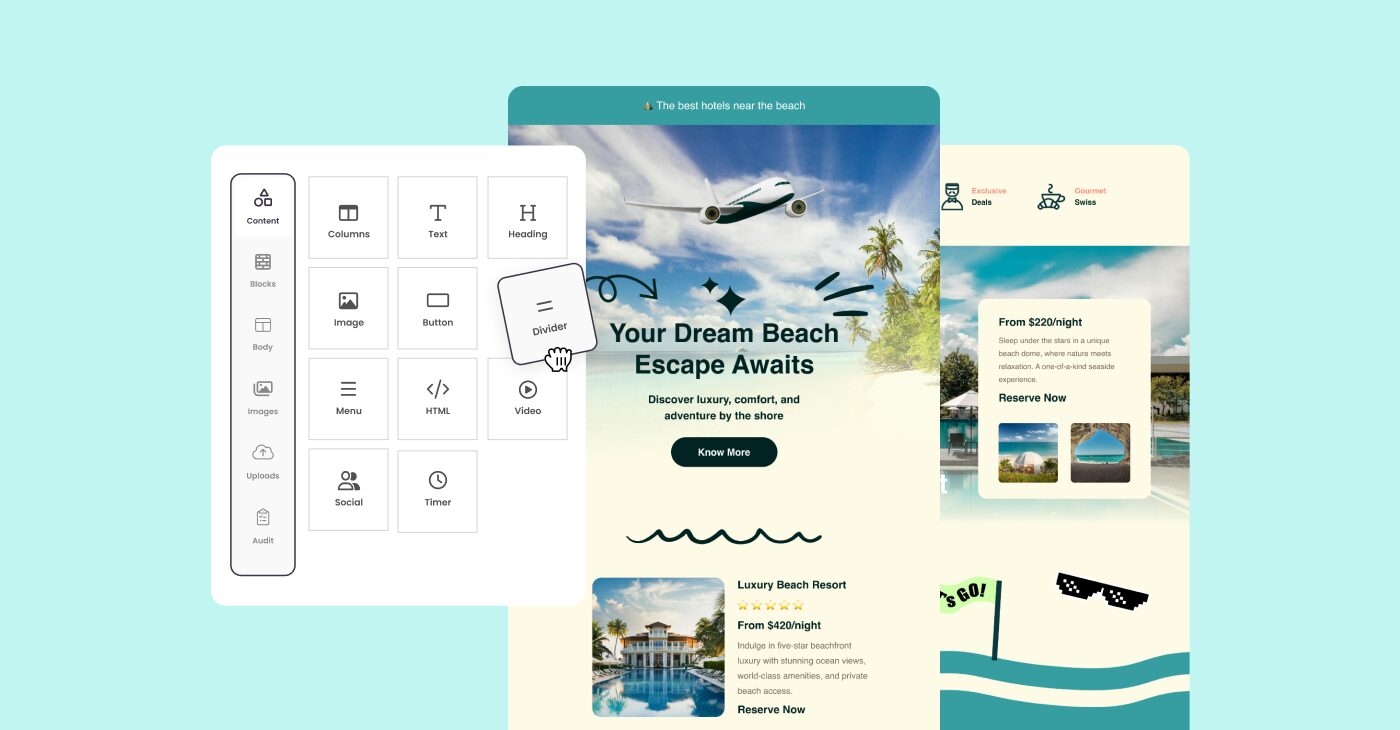
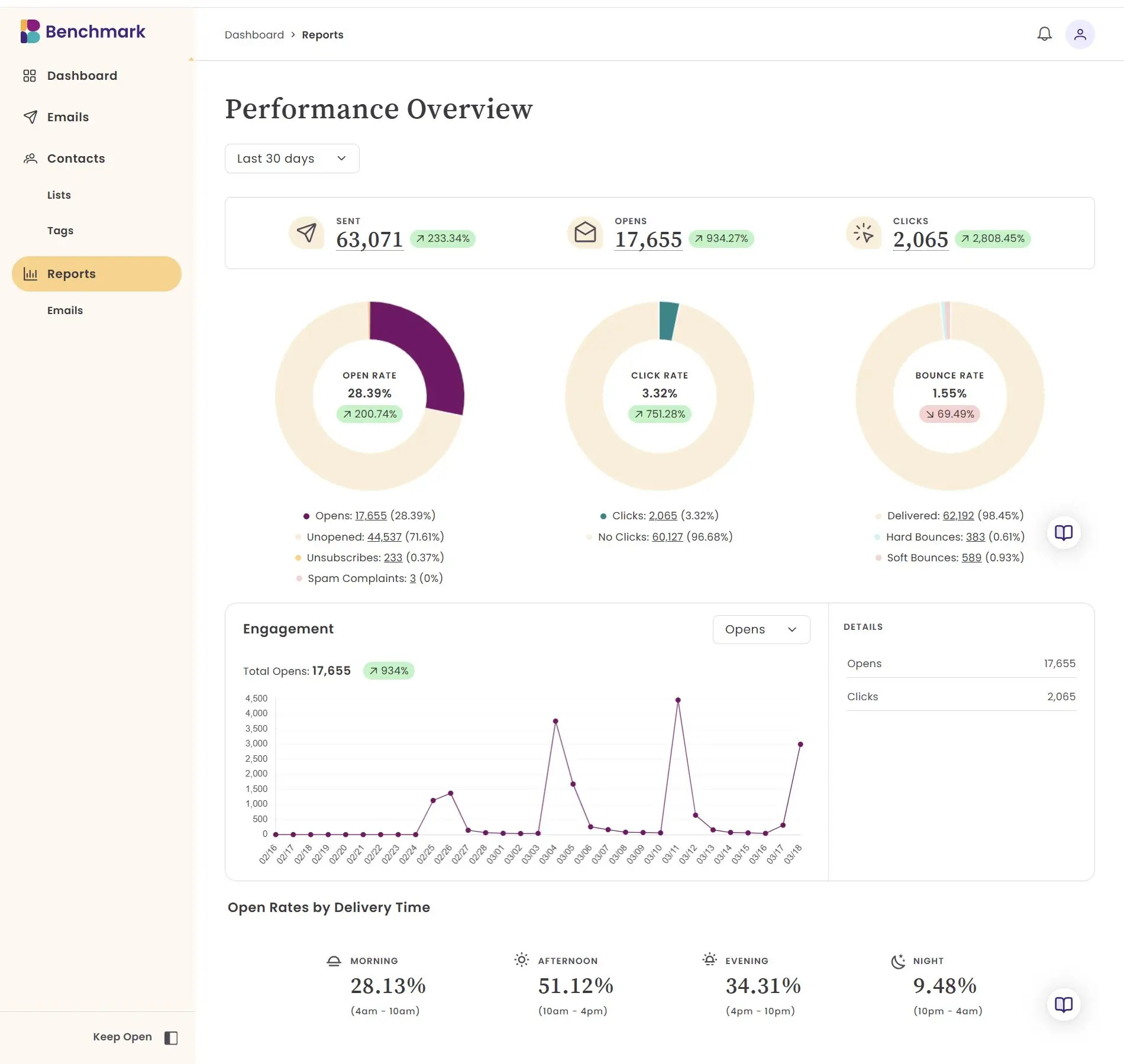
Repurposing is fastest when your email platform doesn’t slow you down. With Benchmark Email, busy marketers can:
- See which content resonated most
- Reuse copy and visuals easily
- Collaborate with teammates without friction
- Build campaigns quickly, so there’s more to repurpose
Clear reporting helps you spot winning messages, while simple workflows mean you’re not spending extra time just to extract value from your work. For small teams, that efficiency matters.
A Simple Monthly Workflow for Tiny Teams
Here’s a realistic rhythm many small teams follow:
- Week 1: Plan and send one strong email
- Week 2–4: Repurpose that email into social posts
- End of the month: Review what performed best
- Next month: Repeat with smarter inputs
One core campaign. Ongoing visibility. No burnout.
The Big Takeaway: Do Less, Reuse More
You don’t need to create more content; you need to reuse better. For tiny teams, repurposing email into social content:
- Saves hours every week
- Keeps messaging consistent
- Maximizes the impact of every campaign
- Reduces creative fatigue
One email can absolutely power a week or a month of social posts. You just need a system that works with your bandwidth, not against it.
When your tools are simple, and your process is intentional, even the smallest teams can show up consistently everywhere that matters.
Frequently Asked Questions
Can I repurpose every email campaign for social media?
Not every email is a great candidate. The best ones to repurpose are educational or how-to emails, product/feature announcements, customer stories, and seasonal campaigns. If the email answers a question, solves a problem, or highlights a clear benefit, it’s solid social fuel.
How many social posts can I get from one email?
Realistically, 5–7 posts per email without stretching, enough to cover a full week. With format variations (carousels, short videos, quote graphics) and angle shifts (problem-focused vs. solution-focused, beginner vs. advanced), a single campaign can power an entire month of content.
Won’t my audience notice I’m posting the same content repeatedly?
Not if you vary the format and entry point. The same core message delivered as a LinkedIn insight, an Instagram visual, and a short X take reaches different people in different contexts. Most of your audience won’t see every post, but those who do appreciate the consistency.
What’s the best way to prioritize which email content to turn into social posts first?
Start with your email performance data. Look at which links got the most clicks, which sections prompted replies, and what questions came in after the send. That engagement signal tells you exactly what resonated; build your social posts around those moments first.
Do I need a big team or special tools to make this work?
No. This approach is specifically designed for small, busy teams. The system works best when your email platform is simple enough to let you move quickly. The goal is to spend less time creating from scratch and more time extending the value of work you’ve already done.
About the Author:

Content Marketing Manager | Content marketing, inbound funnel, social media, email nurture | Natalie Slyman is an experienced Content Marketing Manager at Benchmark Email with a strong B2B background and a knack for crafting pillar content that boosts SEO and brand authority. She regularly shares actionable insights—from remote-work strategies to AI-powered content workflows—via blog posts and webinars tailored for busy marketers.